
Workflo brings planning, organization, and collaboration into a single workspace built for real productivity.
Key Features? Keeping It Simple
Instant Start
No forms, no setup. Open the app and start using it immediately.
Effortless Customization
Everything is ready-to-go but fully adjustable if you want to tweak layouts or preferences.
Minimal Learning Curve
Every tool is obvious and accessible, no manuals, no tutorials required.
All-in-One Simplicity
Manage everything from one interface without switching apps or settings.
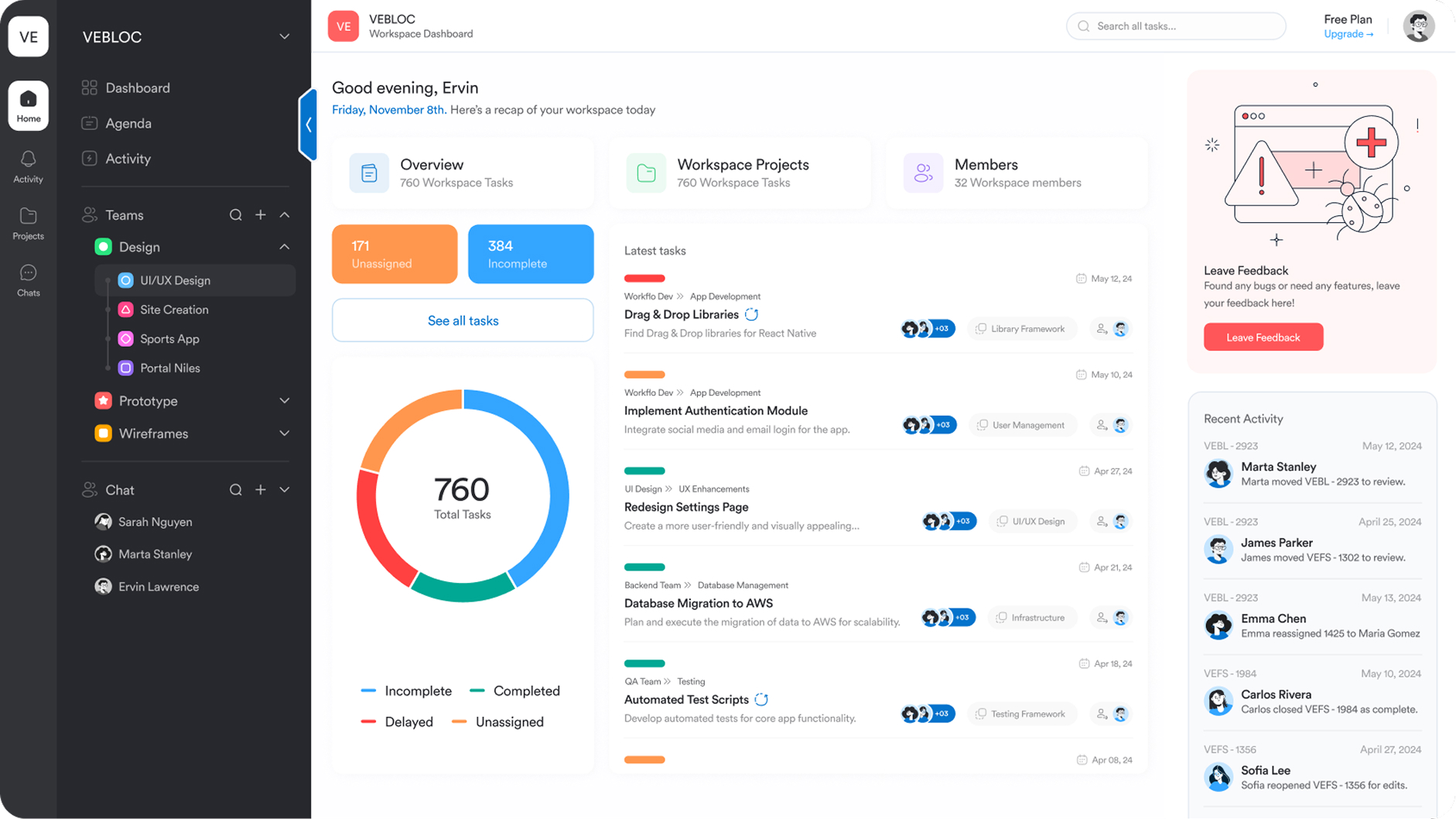
Most tools make you configure views, pick templates, and adjust settings before you can even work. Workflo skips all that. No setup, no onboarding time. Just open it and start managing tasks instantly.
Compare Workflo
| Feature | Workflo | Monday | Asana | Trello | Jira | Notion | Wrike |
|---|---|---|---|---|---|---|---|
| List | ✓ | ✓ | ✓ | ✕ | ✓ | ✓ | ✓ |
| Kanban Board | ✓ | ✓ | ✓ | ✓ | ✓ | ✓ | ✓ |
| Calendar | ✓ | $ | ✓ | ✓ | ✓ | ✓ | ✓ |
| Activity | ✓ | ✕ | ✕ | ✕ | ✕ | ✕ | ✓ |
| Forms | ✓ | ✓ | ✓ | ✕ | ✓ | ✕ | $ |
| Dashboards | ✓ | ✓ | ✓ | ✓ | ✓ | ✕ | ✓ |
Compare Workflo
Still not sure? Explore these pages for a deeper comparison.
Frequently Asked Questions
What makes Workflo different from other project tools?
Most tools overload you with settings, templates, and views before any real work starts. Workflo focuses only on what teams actually use so setup is never required. You open it and start working right away.
Most tools overload you with settings, templates, and views before any real work starts. Workflo focuses only on what teams actually use so setup is never required. You open it and start working right away.
Do I need training to use Workflo?
No. The interface is meant to be obvious. Most teams understand it within minutes without walkthroughs or onboarding.
No. The interface is meant to be obvious. Most teams understand it within minutes without walkthroughs or onboarding.
Does Workflo support different views?
Yes. List, Board, and Calendar views are available without setup. No configuration, no template selection, no view manager to deal with.
Yes. List, Board, and Calendar views are available without setup. No configuration, no template selection, no view manager to deal with.
Can Workflo support growing teams?
Yes. Workflo scales without making things complicated. Add members, assign tasks, track progress, and stay organized without touching settings or documentation.
Yes. Workflo scales without making things complicated. Add members, assign tasks, track progress, and stay organized without touching settings or documentation.
Is Workflo meant for real work or just simple tasks?
It’s built for real work. Workflo keeps only the tools that teams actually use so there’s no wasted time managing features.
Upgrade your workflow. Get started for free
Organize tasks, collaborate with your team, and track progress, all in one place.