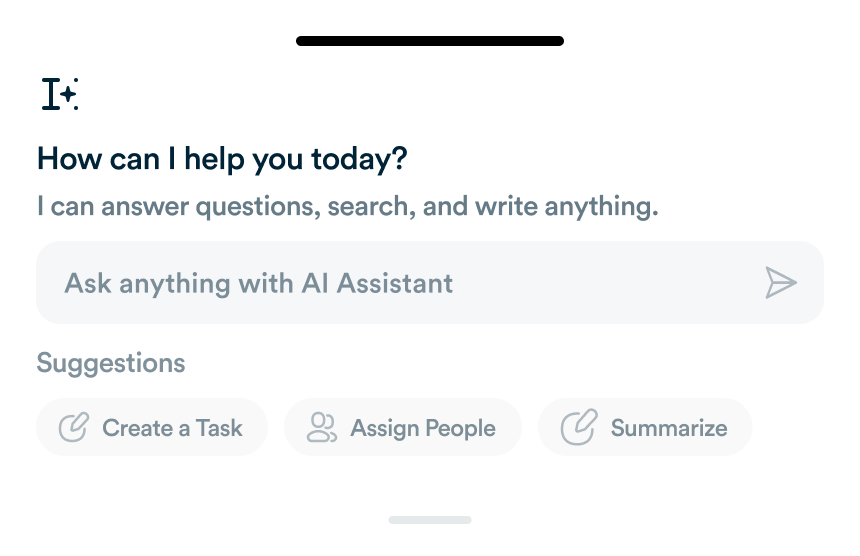
What Workflo's AI Actually Does Today, and What's Still Coming
A lot of "AI-powered" product pages describe features that don't exist yet. Here's an honest breakdown of what's shipped versus what's on the roadmap.
Remote work is now standard in 2025, and productivity depends on using the right apps to manage tasks, communication, and collaboration. This guide explores essential productivity apps for remote teams, their benefits, and how integrating them with platforms like Workflo ensures smooth workflows, accountability, and efficiency.

Managing tasks across distributed teams requires clear organization:
Integrating these apps with Workflo centralizes task updates, automates reminders, and provides dashboards for team progress.

Remote teams rely heavily on communication:
Workflo can consolidate messages and notifications from multiple platforms, reducing noise while keeping teams informed.

Remote work requires accessible documents:
Workflo can sync these documents, track updates, and ensure team members always have the latest versions.

Efficient time management keeps remote teams aligned:
Workflo integration automates reminders, synchronizes meetings, and tracks deadlines across the team.

Remote teams need secure and accessible file storage:
Workflo ensures file references and updates are tracked alongside tasks, minimizing miscommunication.

Tracking hours and productivity is crucial for remote accountability:
Workflo can integrate these metrics to provide team-wide productivity dashboards and actionable insights.

Automation reduces repetitive tasks and streamlines workflows:

Maintaining focus is critical in remote environments:
Workflo reminders can integrate focus intervals and break schedules to maintain consistent productivity patterns.

Remote teams must safeguard access to multiple tools:
Workflo centralizes access logs and authentication reminders to maintain secure workflows.

Measuring productivity ensures continuous improvement:

Remote teams thrive with the right combination of productivity apps and centralized workflows. Task management, communication, document collaboration, scheduling, file storage, time-tracking, automation, focus tools, security, and analytics are essential for remote efficiency. Workflo enhances these workflows by centralizing updates, automating notifications, and providing insights to maximize productivity, collaboration, and accountability in 2025.
A lot of "AI-powered" product pages describe features that don't exist yet. Here's an honest breakdown of what's shipped versus what's on the roadmap.
Introduction The 4-day workweek is gaining traction as a strategy to enhance productivity, employee satisfaction, and focus. This guide explores […]
Introduction Distractions are one of the main obstacles to achieving peak productivity. A well-designed work environment minimizes interruptions, fosters focus, […]
Organize tasks, collaborate with your team, and track progress, all in one place.